How to Use Click Heat Pads
You’ve just pulled a sleek, flexible pad from its packaging, and you’re wondering how to actually use this click heat pad. Unlike traditional microwavable or electric heating pads, click heat pads like the popular Clix brand work using a clever chemical reaction that generates warmth on demand, with no electricity or microwave needed. With a simple click, you can activate soothing heat in seconds, perfect for muscle aches, cramps, or staying warm outdoors. But to get the most out of your reusable heat pack, you need to know the exact steps for activation, usage, and resetting. In this guide, you’ll learn how to use click heat pads safely and effectively, avoid common mistakes, and extend their lifespan for repeated use.
Activate the Heat with a Click
Locate and Flex the Metal Disc
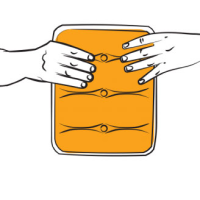
Inside every click heat pad is a small metal disc suspended in a super-saturated salt solution. To start the heating process, locate the disc, usually in the center or slightly off-center of the pad. Hold the pad firmly and flex the disc back and forth with your thumb or fingers. You may need to bend it several times until you hear a distinct clicking sound. This click triggers nucleation, the starting point of crystallization, which instantly begins releasing heat.
Don’t be alarmed if it doesn’t activate on the first try. Some units require 2 to 5 flexes before the reaction starts. Once triggered, the pad will rapidly warm to 130°F (54°C) within seconds.
Recognize Successful Activation
Within moments of the click, you’ll feel heat spreading evenly through the pad. The entire surface should become warm, not hot spots, but consistent thermal coverage. If the pad only warms partially or cools quickly, it may not have fully activated or was improperly reset in a previous cycle.
Pro Tip: Activate the pad just before use. Once started, the heat cycle lasts up to 1 hour, so timing matters.
Apply Heat Safely and Effectively
Target Common Pain Areas
Click heat pads are designed to conform to body contours, making them ideal for:
– Neck and shoulder tension
– Lower back pain
– Menstrual cramps
– Sore joints (knees, elbows)
– Cold hands or feet (use inside gloves or socks)
Place the activated pad directly on the area needing relief. For sensitive skin, wrap it in a thin cloth or towel to prevent discomfort from direct contact, even though the max temperature is safe.
Maximize Heat Duration
To extend warmth beyond the standard 60 minutes:
– Insulate the pad with clothing, a scarf, or blanket
– Use it under layers while resting or sleeping
– Avoid exposure to cold air or wind
Keep in mind: ambient temperature and pad size affect performance. Larger pads may retain heat longer due to greater thermal mass.
Reset for Reuse: Boil to Recharge
Prepare Boiling Water
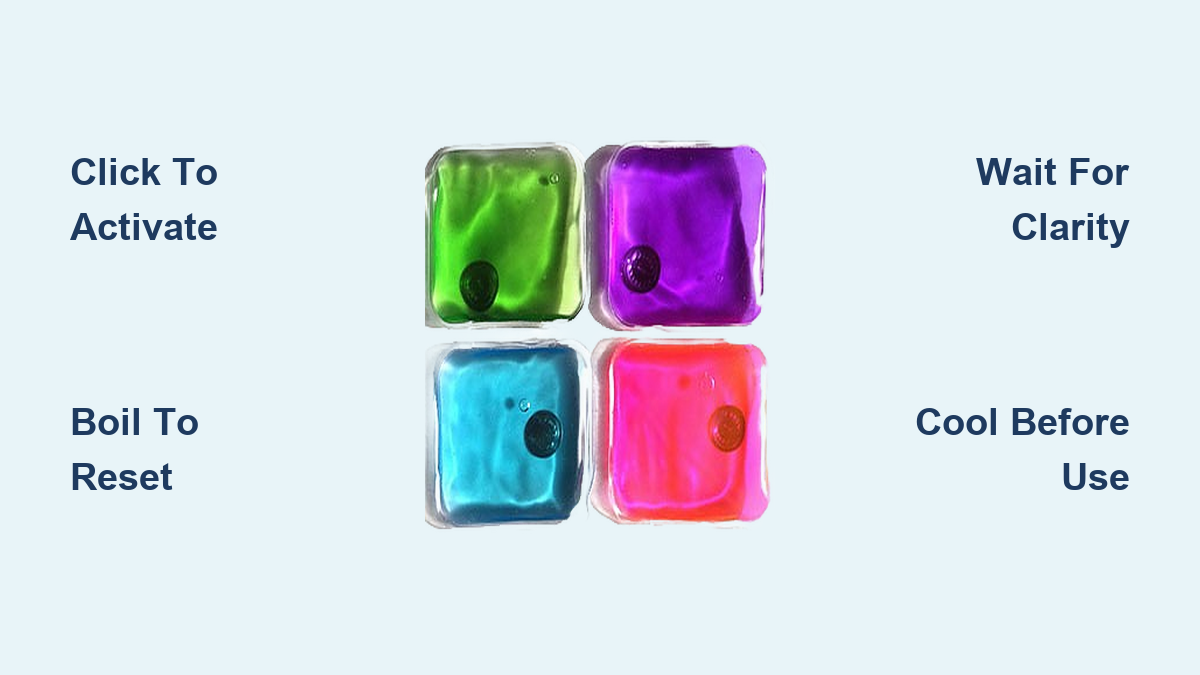
One of the biggest advantages of click heat pads is their infinite reusability. After the heat fades and the solution solidifies, you can reset it by returning it to its liquid state. Here’s how:
- Fill a pot with enough water to fully submerge the pad
- Bring the water to a rolling boil
- Carefully place the cooled, solidified heat pack into the boiling water
Monitor Until Fully Clear
Let the pad boil for 5 to 10 minutes, watching closely as the crystals dissolve. The key to a successful reset is visual confirmation: the solution must become completely clear. If any cloudiness or crystals remain, the reset is incomplete.
Critical Warning: Removing the pad too early causes premature re-solidification. Always wait until the liquid is 100% transparent before taking it out.
Cool Before Next Use
Once clear, use tongs to remove the pad and let it cool to room temperature. Do not rush cooling with cold water or refrigeration, as this can damage the seal or trigger unintended activation. A fully cooled, clear pad is ready for storage or immediate reuse.
Troubleshoot Common Issues
Pad Won’t Heat After Clicking
If flexing the disc doesn’t trigger heat:
– Keep flexing: Some units need repeated bends to initiate crystallization
– Check for partial activation: If the pad warms slightly but not fully, the reaction may have stalled
– Ensure the disc is mobile: If it feels stuck or rigid, gently massage the area to loosen it
Note: Age or repeated improper resets can reduce sensitivity over time.
Heat Fades Too Quickly
Short heat duration usually points to:
– Incomplete reset (left in boiling water too briefly)
– Exposure to cold environments
– Damaged or leaking seal (if liquid is escaping, discontinue use)
Always verify the solution is crystal-free after boiling.
Pad Hardens Without Heating
This means the solution recrystallized prematurely. Causes include:
– Cooling too fast after boiling
– Residual crystals remaining after reset
– Exposure to vibrations or shocks while in liquid state
To fix: re-boil the pad until fully clear and cool naturally.
Maintain and Store Properly
Store at Room Temperature
Keep your click heat pad in a dry, room-temperature environment. Avoid extreme heat (like a hot car) or freezing conditions, which may affect performance or cause unintended activation.
Store it in its liquid (reset) state. Never leave it solidified long-term. This keeps the solution stable and ready for your next use.
Inspect for Damage
Before each use and reset:
– Check for punctures, leaks, or cloudiness
– Ensure the seal is intact
– Confirm the disc clicks freely
If the pad leaks, do not use it. Although the solution is non-toxic, a compromised unit can pose a mess or skin irritation risk.
Optimize Long-Term Use
Use Only for Intended Purposes
These pads are designed for external heat therapy and warmth. Do not:
– Cut or puncture the pad
– Use in microwaves or ovens
– Apply to broken or irritated skin
– Allow children to play with it unsupervised
While safe, they are not toys.
Choose the Right Size for Your Need
Click heat pads come in various sizes:
– Small (4×4 inch): Ideal for hands, joints, or targeted pain
– Medium (5×7 inch): Best for back, neck, or abdomen
– Large (6×9 inch): Great for legs or extended coverage
Match the size to your intended use for maximum comfort and efficiency.
Compare to Other Heating Methods
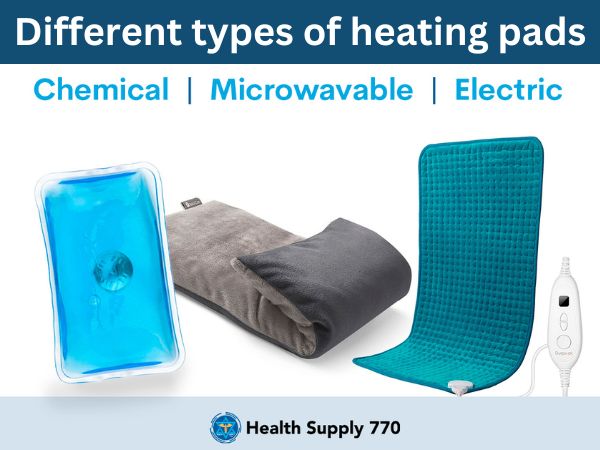
Click Heat Pads vs. Traditional Options
| Feature | Click Heat Pad | Microwavable Pad | Electric Heater |
|---|---|---|---|
| Power Required | No | Yes (microwave) | Yes (outlet) |
| Reusable | Infinite | Limited (fabric wear) | Yes |
| On-the-Go Use | Yes | No (needs heating) | Limited (corded) |
| Max Temp | 130°F (safe) | Can overheat | Adjustable |
| Activation Time | Instant (click) | 1–2 minutes | 1–5 minutes |
Click heat pads win for portability, safety, and convenience, especially when power isn’t available.
Prevent Common Mistakes
Don’t Rush the Reset
The most frequent error? Pulling the pad out of boiling water too soon. Even a few remaining crystals mean the next activation will be weak or short-lived. Wait for full clarity. This is non-negotiable for reliable performance.
Avoid Supercooling Traps
After boiling, the liquid is in a “supercooled” state, stable but ready to crystallize. Don’t shake, drop, or stress the pad while cooling. Handle gently to prevent accidental activation before you’re ready.
Never Microwave the Pad
Despite being heat-activated, click heat pads are not microwave-safe. The plastic can melt, and the metal disc can spark. Always use boiling water only for resetting.
Frequently Asked Questions About Click Heat Pads
How long does a click heat pad stay warm after activation?
A click heat pad stays warm for up to 1 hour after activation. The exact duration depends on the pad’s size and how well it’s insulated. Wrapping the pad in clothing or using it under a blanket can help extend warmth.
What temperature does a click heat pad reach?
A click heat pad reaches a maximum temperature of 130°F (54°C). This temperature is considered safe for direct skin contact, though using a thin cloth barrier is recommended for sensitive areas.
Can I reset a click heat pad in the microwave?
No, you should never reset a click heat pad in the microwave. Microwaving can melt the plastic and cause the metal disc to spark. Always use boiling water on the stovetop to reset the pad.
How do I know when the click heat pad is fully reset?
The pad is fully reset when the solution inside becomes completely clear with no visible crystals. If any cloudiness or solid particles remain, continue boiling until the liquid is 100% transparent.
Is the solution inside a click heat pad toxic?
No, the salt solution inside a click heat pad is 100% non-toxic. However, if the pad leaks or is damaged, you should discontinue use to avoid skin irritation or mess.
How many times can I reuse a click heat pad?
A click heat pad can be reused indefinitely when properly maintained. Following the correct reset and storage procedures allows for hundreds of activation cycles over the pad’s lifetime.
Final Note: Master the Click, Reclaim the Heat
Using a click heat pad is simple once you know the rhythm: click to activate, apply for relief, boil to reset. These reusable, non-toxic pads offer a powerful, eco-friendly alternative to disposable heat sources. By following the precise reset protocol and storing properly, your Clix or similar brand pad can last for hundreds of uses.
Whether you’re battling cramps, soothing sore muscles, or braving the cold, mastering how to use click heat pads puts safe, instant warmth at your fingertips, no outlet required. Next time you feel the chill or ache, just click and feel the difference.