Fix Walgreens Heating Pad Blinking
You’re settling in for a relaxing session with your Walgreens heating pad, only to notice the light blinking unexpectedly. The warmth you rely on isn’t turning on, or it cuts out after a few seconds. A blinking light can be confusing and frustrating, especially when you’re counting on relief from muscle pain or stiffness. The good news is that most blinking issues are fixable at home with simple troubleshooting steps.
This guide will help you diagnose and fix a Walgreens heating pad blinking problem fast, so you can get back to comfort without replacing the device unnecessarily. We’ll walk through every possible reason your pad is blinking and explain how to resolve each one safely and effectively.
Understand the Blinking Light Meaning

Walgreens heating pads use indicator lights to communicate status. A blinking light is not random. It’s a diagnostic signal that tells you something needs attention.
What the Blink Pattern Indicates
Most models blink in a specific pattern that reveals what’s happening:
- One blink per second: Normal warm-up phase (lasts up to 5 minutes)
- Rapid blinking (3+ times per second): Error detected, pad has shut down for safety
- Intermittent blinking with no heat: Connection fault or overheating protection triggered
If your pad blinks continuously and never produces heat, it’s in safety lock mode. This usually happens after the internal temperature sensor detects overheating, often due to folding, covering, or extended use.
Common Triggers for Auto-Shutoff
Several everyday situations can activate the safety feature:
- Folding or bunching the pad during use
- Placing heavy objects like pillows or blankets on top
- Using an extension cord or power strip not rated for the load
- Damaged power cord or controller
- Dirty or corroded plug connections
Never ignore a blinking light. It’s designed to prevent fire hazards and component damage.
Check Power Source and Outlet
Before assuming the pad itself is faulty, verify your power setup. Electrical issues are the simplest problems to rule out.
Test the Electrical Outlet
Plug in another device like a lamp or phone charger to confirm the outlet works. If nothing powers on, try a different wall outlet. Avoid using power strips or surge protectors during testing, and ensure GFCI outlets (common in bathrooms and kitchens) aren’t tripped.
A weak or unstable power source can cause erratic blinking even when the pad itself is fine.
Inspect the Power Cord and Plug
Look closely at the cord where it connects to the control unit and wall plug. Check for frayed wires or kinks, which mean you should replace the unit immediately. Bent or loose prongs are unsafe for use. Discoloration or melting is a sign of electrical overload.
If the cord shows any damage, stop using the pad. Walgreens does not sell replacement cords separately, so you’ll need to replace the entire unit.
Reset the Overheat Protection

Most blinking issues stem from the built-in overheat sensor activating. A simple reset often solves the problem.
Power Cycle the Heating Pad
Follow these steps in order:
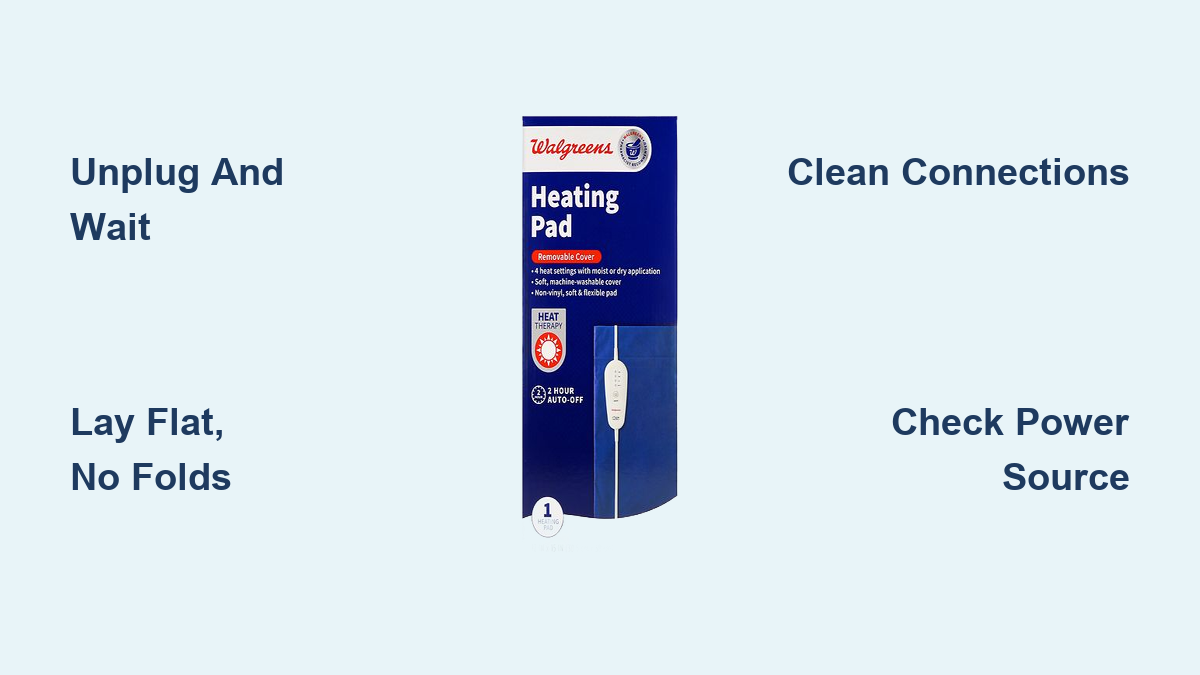
- Unplug the pad from the wall
- Wait 5 to 10 minutes to allow internal reset
- Lay the pad flat on a hard, non-flammable surface with no folds
- Plug back in and turn on
This resets the thermal cutoff switch. Many users report success after this simple step alone.
Prevent Future Overheating
To avoid repeated blinking, follow these usage guidelines:
- Never fold or crease the pad while it’s on
- Do not use under heavy blankets
- Limit continuous use to 20 minutes
- Allow 30 minutes cooldown between sessions
Using the pad as directed prevents false overheating triggers and extends the life of your device.
Examine the Controller Unit

The control box regulates temperature and monitors safety systems. When it malfunctions, blinking often follows.
Look for Physical Damage
Check the controller for cracked casing, loose buttons, moisture or liquid exposure, and burn marks or strange odors. If any of these are present, discontinue use immediately. Water damage or internal shorts can cause erratic blinking and pose serious safety risks.
Test Temperature Settings
Turn the dial through all settings and listen for a soft click at each level. Observe whether the blink pattern changes and note whether any setting produces heat. If only certain settings work, the controller may be failing internally and need replacement.
Avoid Extension Cords and Adapters
Using improper power accessories is a common cause of blinking lights on heating pads.
Why Extension Cords Cause Issues
Extension cords create several problems for heating pads:
- Voltage drop over long cords reduces power delivery
- Low-quality cords overheat and trigger safety sensors
- Some cause ground faults or inconsistent current
Always plug your heating pad directly into a wall outlet for safest operation.
Safe Alternatives
If the outlet is out of reach, consider these options:
- Install a new wall outlet by a licensed electrician
- Use a heavy-duty, 3-prong extension cord rated for 15A/1875W only if absolutely necessary
- Keep the cord fully uncoiled during use
Even short extension cords can interfere with the sensitive electronics in heating pads.
Clean Connection Points

Dirt, dust, and corrosion disrupt electrical contact between the pad and controller. A quick cleaning often restores proper function.
Unplug and Cool First
Never clean while plugged in. Wait until the pad is completely cool before handling any connections.
Use Isopropyl Alcohol and Cotton
Gather these materials:
- 70% isopropyl alcohol
- Cotton swabs or soft cloth
- Compressed air (optional)
Follow these steps:
- Wipe the metal contacts on the pad and controller plug
- Clean inside the connector port on the pad
- Blow out debris with compressed air
- Let dry completely before reconnecting
This restores proper conductivity and often resolves blinking issues caused by poor connections.
Try a Different Control Unit (If Available)
Some Walgreens heating pads use modular controllers that can be swapped for testing.
Compatibility Check
Before swapping controllers, verify these details:
- Match model number exactly (such as WH-100 vs WH-200)
- Confirm voltage and wattage ratings match
- Only use OEM or UL-listed replacements
If you have access to a known-working controller, test it. If the blinking stops, the original controller is faulty.
Where to Get Replacement Parts
To find a replacement controller, contact Walgreens customer service or search online retailers for “Walgreens heating pad controller.” You can also consider generic replacements with matching specs. Note that most models are not designed for user repair, so replacement may be safer than DIY fixes.
When to Replace the Heating Pad
Not all issues can be fixed. Know when it’s time to retire the unit for your safety.
Signs of Permanent Failure
Watch for these warning signs:
- Persistent blinking after all troubleshooting
- No response from controls
- Burning smell or smoke
- Visible damage to internal wiring (if exposed)
- Pad heats unevenly or only in spots
These indicate internal component failure that cannot be repaired at home.
Safety First: Don’t Risk It
Heating pads operate with high electrical loads and close body contact. A malfunctioning unit poses serious risks including fire hazard, burn risk, and electric shock potential. If in doubt, replace it. New Walgreens heating pads cost between $20 and $40 and come with fresh safety certifications.
Recommended Replacement Models
Consider these options when shopping for a new heating pad:
- Walgreens Dual Control Moist Heat Pad for even heat distribution
- Sunbeam Maximum Comfort Heating Pad with auto-off timer
- U.S. Medical Supplies Large Back Wrap for adjustable fit
Look for auto-shutoff, ETL certification, and 10+ foot cords when choosing a replacement.
Frequently Asked Questions About Walgreens Heating Pad Blinking
Why is my Walgreens heating pad light blinking but not heating?
A blinking light without heat usually means the overheat protection has activated. This happens when the pad detects unsafe temperatures from folding, heavy covering, or extended use. Unplug the pad, wait 10 minutes, lay it flat, and restart. If blinking continues, check the power source and clean the connection points.
How do I reset my Walgreens heating pad?
To reset your heating pad, unplug it from the wall outlet and wait 5 to 10 minutes. This allows the internal thermal sensor to cool and reset. Lay the pad flat on a hard surface with no folds, then plug it back in and turn it on. Most blinking issues resolve after this power cycle.
Can I use an extension cord with my Walgreens heating pad?
Extension cords are not recommended for heating pads because they can cause voltage drops and trigger safety sensors. Always plug directly into a wall outlet when possible. If you must use an extension cord, choose a heavy-duty 3-prong cord rated for 15A or 1875W and keep it fully uncoiled during use.
Is a blinking heating pad dangerous?
A blinking heating pad is not immediately dangerous, but it signals that a safety feature has activated. The pad has detected a potential problem like overheating or a connection fault. Stop using the pad until you identify and fix the cause. Continued use without addressing the issue could lead to fire, burns, or electrical damage.
How long should a Walgreens heating pad last?
With proper care, a Walgreens heating pad typically lasts 2 to 5 years. To maximize lifespan, avoid folding during use, limit sessions to 20 minutes, allow cooldown time between uses, and store flat or loosely rolled. Inspect the cord and controller regularly for signs of wear.
Where can I buy a replacement controller for my Walgreens heating pad?
Contact Walgreens customer service first to ask about replacement parts. You can also search online retailers for “Walgreens heating pad controller” or look for generic replacements with matching voltage and wattage ratings. Only use OEM or UL-listed controllers to maintain safety standards.
Key Takeaways for Fixing Your Walgreens Heating Pad Blinking Issue
A blinking Walgreens heating pad is usually a solvable problem tied to power, overheating, or connection issues. Start with the simplest fix: unplug the pad, wait 10 minutes, and restart it on a flat surface. If blinking continues, work through the power source, cord inspection, and connection cleaning steps before considering a replacement.
Always prioritize safety by never bypassing safety features or using damaged equipment. If your pad shows signs of permanent failure like burning smells, visible damage, or persistent blinking after all troubleshooting, replace it rather than risk injury. With proper care and correct usage, your heating pad should provide years of reliable pain relief.