How to Fix UTK Heating Pad Issues
Your UTK heating pad won’t turn on, feels too cool, or shuts off mid-session. These frustrations are common, and the cause is usually simpler than you think. Most problems trace back to connection mistakes, misunderstandings about Far-Infrared heat, or improper cable handling. This guide walks you through proven fixes drawn from official UTK connection protocols and product specifications. You’ll learn how to diagnose power failures, set realistic heat expectations, and protect your pad from premature wear. Whether you use a Jade, Amethyst, or Cordless model, these steps will help you restore reliable performance.
Power Connection Failures

A UTK heating pad that refuses to power on is often the victim of a connection mistake, not a broken unit. Incorrect sequences during setup are the leading cause of startup failure.
Always Power Off Before Connecting
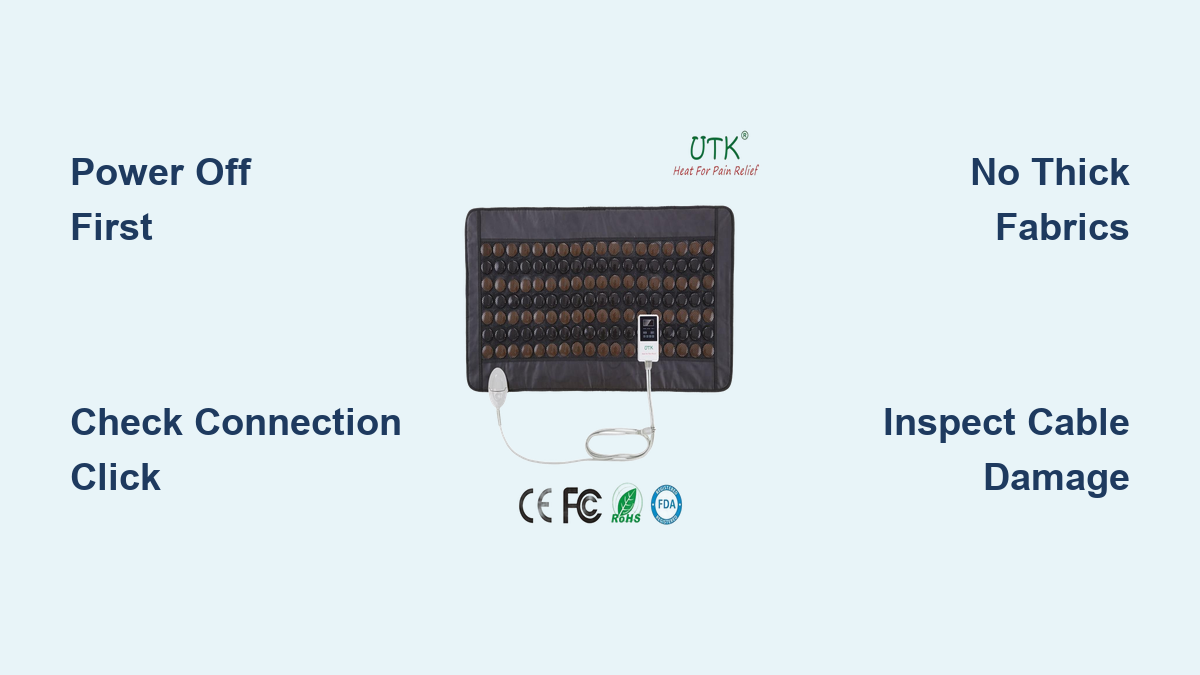
Never plug the pad into the controller while the controller is powered on or connected to a wall outlet. Hot-swapping damages internal circuitry and blocks power transfer. Follow this sequence every time:
1. Unplug the controller from the wall.
2. Confirm the controller is powered off.
3. Connect the pad cable to the controller port.
4. Plug the controller back in and turn it on.
Skipping any step can result in no response, flashing indicators, or a permanently disabled connection.
Align and Click the Connector Properly
A partially inserted connector is a frequent culprit behind startup failures. The connector must be fully engaged to transmit power safely. Here’s how to ensure a solid link:
– Match the connector shape to the port before inserting. Never force it.
– Push straight in with firm, even pressure.
– Listen and feel for a distinct click that confirms the lock is engaged.
If the connection feels loose or wobbly, it isn’t secure. Disconnect and retry using the power-off method.
Test for a Secure Connection
After connecting, perform a gentle tug test:
– Pull lightly on the connector head, not the cord itself.
– If it slides out, the lock didn’t engage.
Inspect the port and connector for bent pins, debris, or visible damage. Clean contacts with a dry, soft brush if needed. A loose connection causes intermittent heating or complete power loss.
Fixing No Power or Startup Issues

A non-responsive unit is frustrating, but most causes are preventable. Run through these diagnostic steps before assuming hardware failure.
Verify the Power Source
Even a perfect connection fails without live power. Confirm the basics:
– Test the wall outlet with another device.
– Ensure the power cord is fully seated in both the outlet and controller.
– Check whether the outlet is controlled by a switch or GFCI breaker, which is common in bathrooms and garages.
If in doubt, switch to a different outlet. Faulty outlets often mimic device failures.
Check Controller and Indicator Lights
Some UTK models include LED indicators that signal power status. If no light appears when plugged in:
– Try a different power cable or controller if you have one available.
– Press and hold the power button, since some models require a long press to activate.
No lights usually point to a power delivery problem, not a faulty pad.
Reset After a Failed Connection
If the pad was connected while powered, internal errors can lock the system. Clear them with a reset:
1. Unplug everything.
2. Wait 30 seconds.
3. Reconnect using the correct power-off protocol.
4. Power on.
This clears temporary faults and restores communication between the pad and controller.
Addressing Weak or No Heat

Many users report that their pad “doesn’t get hot enough,” but this usually reflects a misunderstanding of FIR technology rather than a malfunction.
Confirm Direct Skin or Light Fabric Contact
UTK heating pads rely on direct thermal transfer to work effectively. Thick clothing, blankets, or towels block Far-Infrared penetration. For best results:
– Place the pad directly on bare skin.
– If clothing is necessary, choose thin, natural fabrics like cotton.
Thick materials act as insulators and can reduce heat absorption dramatically, creating the illusion of a cold pad.
Understand FIR Heat Sensation
Far-Infrared delivers gentle warmth that penetrates 2 to 3 inches into muscle tissue. You may not feel intense surface heat, but deep tissue warming is occurring. Don’t mistake subtle warmth for failure; this is how FIR is designed to work.
Users expecting burning surface heat often feel disappointed. The therapeutic effect builds gradually over 10 to 15 minutes, not instantly.
Test Cordless Model Battery Levels
For cordless UTK pads, low battery is the top cause of weak heat output. Check these factors:
– Battery charge level via indicator lights.
– Charging time, since a full initial charge is required before first use.
– Battery age, as units older than 2 years may need replacement.
A degraded battery can power the controller but cannot sustain the heating elements.
Diagnosing Intermittent Heating
When your pad turns on and off unpredictably, the problem usually lies in the cable or connection point, especially if the cord has been mishandled.
Inspect Cable for Damage
Fraying, kinks, or bent sections near the connector signal internal wire damage. This causes sporadic contact and power loss. Look for:
– Visible cuts or exposed wires.
– Stiff or sharply bent sections in the cable.
– Discoloration or melting near the plug.
Stop using the pad immediately if damage is found. Damaged cables are fire hazards and require replacement.
Avoid Pulling by the Cord
Never yank the cable to disconnect. Always grasp the connector head and pull straight out. Yanking stresses internal wires and leads to:
– Broken filaments inside the cable.
– Loose connections at the pad or controller end.
– Intermittent heating or total failure.
This single habit causes most premature UTK pad failures.
Re-seat the Connection
Intermittent heat often resolves with a clean reconnection:
1. Power off and unplug the unit.
2. Disconnect the cable.
3. Inspect both ends for debris or bent pins.
4. Reconnect firmly until it clicks.
5. Power on.
This restores a stable electrical pathway.
Handling Unexpected Shutdowns
If your pad shuts off during use, don’t assume it’s broken. UTK units include built-in safety systems designed to prevent overheating and overuse.
Recognize Auto Shut-Off Function
All UTK heating pads include an automatic shut-off timer, typically between 60 and 90 minutes. This is normal and prevents prolonged exposure. If the pad turns off after a set period, it’s working as designed.
Check your model’s manual for the exact timer duration. To restart, simply power the unit on again.
Overheat Protection Activation
The pad may shut down early if it detects abnormal heat buildup. Common triggers include:
– Placing the pad under heavy blankets or pillows.
– Folding or bunching the pad during use.
– Running on a high setting for extended periods.
Allow the pad to cool for 10 to 15 minutes before restarting. Always use it flat and uncovered to prevent overheating.
Prevent Safety Lockouts
To avoid repeated shutdowns:
– Never cover the pad during use.
– Avoid placing it on soft, insulating surfaces without a barrier.
– Use moderate heat settings for longer sessions.
These practices keep temperatures within safe limits and prevent safety triggers from activating.
Model-Specific Troubleshooting Tips

Different UTK models have unique features and failure points. Identify your unit and apply targeted fixes.
Jade and Tourmaline Series Issues
Gemstone-infused pads may feel slightly cooler due to stone conductivity. Users sometimes mistake this for malfunction. Keep these points in mind:
– The stones emit negative ions and enhance FIR absorption.
– Heat builds slowly but penetrates deeply.
– Never wash or submerge the pad, since moisture damages gemstone layers.
If performance declines, check the cable and connection first before suspecting the stones.
Amethyst Series Performance Checks
Amethyst pads are optimized for relaxation. If users report “no effect,” consider these factors:
– Session length: Use the pad for at least 20 minutes for full benefit.
– Placement: Center it over stress-prone areas like shoulders or lower back.
– Environment: Use it in a quiet, dim space to enhance calming effects.
The heat may feel mild, but the combination of FIR and amethyst properties supports mental calm.
Cordless and Battery-Powered Fixes
Battery-related issues dominate this category. If the pad dies quickly or won’t charge:
– Charge for 4 to 6 hours before first use.
– Use only the provided charger.
– Store with a 50 to 80% charge if unused for weeks.
Replace the battery if it no longer holds a charge after full charging cycles.
Quantum Wave and Photon Light Errors
These advanced models combine heat with red light therapy. If lights don’t turn on:
– Confirm the correct mode is selected, since some require button combinations.
– Perform a software reset by unplugging for 1 minute.
– Keep the pad flat, because bending can disrupt LED circuits.
Light and heat functions operate independently; one can fail while the other works.
Preventing Long-Term Damage
Proper care extends your UTK heating pad’s lifespan and prevents avoidable failures. Build these habits to protect your investment.
Store Cables Correctly
Always coil the cable loosely in a circle or figure-eight pattern. Avoid these mistakes:
– Sharp bends or kinks.
– Wrapping tightly around corners.
– Crushing under heavy objects.
Proper coiling prevents wire fatigue and internal breaks.
Keep Components Dry
Never expose the controller, cable, or connector to moisture. Even light dampness can corrode contacts. After each use:
– Wipe the pad with a dry cloth.
– Let it air-dry before storage.
– Never store in humid areas like bathrooms.
Water damage voids warranties and creates electrical hazards.
Clean Without Compromising Safety
Clean the pad surface with a damp cloth and mild soap. Never:
– Immerse it in water.
– Use harsh chemicals or solvents.
– Scrub gemstone areas aggressively.
Allow full drying before reconnecting or storing.
When to Seek Replacement or Support
Most UTK heating pad issues are fixable, but some indicate permanent failure. Know when to contact support or replace the unit.
Signs of Irreparable Damage
Replace the pad or controller if you observe:
– Burn marks, melting, or a smoke smell.
– Exposed wires or broken connector housing.
– Persistent no-power after all troubleshooting steps.
– Swollen or leaking battery in cordless models.
Continued use of damaged units risks fire or electric shock.
Warranty and Support Options
UTK offers limited warranties covering manufacturing defects. If your unit fails within the warranty period:
– Contact UTK customer support with proof of purchase.
– Describe the issue and the troubleshooting steps you’ve already taken.
– Avoid DIY repairs, which void coverage.
Keep your receipt and model number handy for faster service.
Upgrade Considerations
If your pad is over 3 to 5 years old, consider upgrading. Older models may:
– Have degraded heating efficiency.
– Use outdated connectors.
– Lack modern safety features.
Newer UTK versions offer improved durability, better heat distribution, and enhanced controls.
Frequently Asked Questions About UTK Heating Pad Troubleshooting
Why won’t my UTK heating pad turn on after plugging it in?
The most common cause is connecting the pad while the controller was powered on. Always power off and unplug the controller before connecting the pad. Also verify the connector is fully clicked in and that the wall outlet is live.
Why does my UTK heating pad feel not hot enough?
UTK pads use Far-Infrared technology, which delivers gentle warmth that penetrates 2 to 3 inches into tissue rather than producing intense surface heat. If you’re using the pad over thick clothing, switch to bare skin or thin cotton for better heat transfer.
Why does my UTK heating pad keep shutting off?
Your pad likely has an automatic shut-off timer between 60 and 90 minutes, which is a built-in safety feature. It may also shut off early due to overheat protection if covered, folded, or used on high settings for too long.
How do I fix intermittent heating on my UTK pad?
Intermittent heating usually points to a loose connection or cable damage. Power off, unplug, and reseat the connector until it clicks. Inspect the cable for fraying, kinks, or bent sections, and replace it if damaged.
How long should I use my UTK heating pad per session?
Recommended sessions last 20 to 30 minutes, with 1 to 2 sessions daily for optimal results. Exceeding 30 minutes increases the risk of skin irritation and may trigger safety shut-offs.
Can I use my UTK heating pad on bare skin?
Yes, direct skin contact or thin natural fabrics like cotton provides the best Far-Infrared penetration. Avoid thick clothing, blankets, or towels, which block heat transfer and reduce therapeutic effectiveness.
Key Takeaways for UTK Heating Pad Troubleshooting
Most UTK heating pad problems stem from connection errors, misuse, or misunderstandings about FIR heat. By following the correct power-off connection protocol, using the pad as directed, and handling cables with care, you can resolve nearly all common issues. Remember that deep heat doesn’t mean hot surface heat; if your unit powers on, clicks securely, and delivers gentle warmth that penetrates tissue, it’s working correctly. For persistent problems, contact UTK support with your model number and proof of purchase, since your solution may be a simple replacement part or warranty service.