Fix Ruqiji Heating Pad Issues
You’ve just plugged in your Ruqiji heating pad after a long day, ready to ease muscle tension or soothe soreness—only to find it’s not warming up, turning on intermittently, or shutting off unexpectedly. You’re not alone. Many users encounter issues with their Ruqiji heating pad over time, from power failures to uneven heat distribution. This guide gives you a clear, step-by-step approach to diagnosing and fixing common problems.
We’ll walk through power checks, controller diagnostics, safety feature resets, and physical inspections. You’ll also learn when a problem is repairable and when it’s time to replace the unit for safety. No technical expertise needed—just simple tools and a few minutes of your time.
Check Power Source First
Before assuming the heating pad is faulty, confirm the power supply is delivering electricity. Many “broken” units are simply not receiving power due to overlooked issues at the outlet or cord connection.
Test the Wall Outlet
Plug a working device (like a lamp or phone charger) into the same outlet to verify it’s functioning. If the test device doesn’t power on, the issue may be with your home’s circuit breaker or GFCI outlet. Reset the breaker or GFCI if needed, then retest.
Inspect Plug and Cord Connection
Ensure the heating pad’s power cord is fully inserted into both the wall outlet and the controller. A loose connection can prevent power from reaching the pad. Look for bent prongs, scorch marks, or frayed wires. Do not use if any damage is visible—replace immediately.
Try a Different Outlet
Use a known-working outlet in another room. Avoid extension cords or power strips, as they can interrupt stable power flow. Plug directly into the wall to eliminate interference.
Examine the Controller Unit
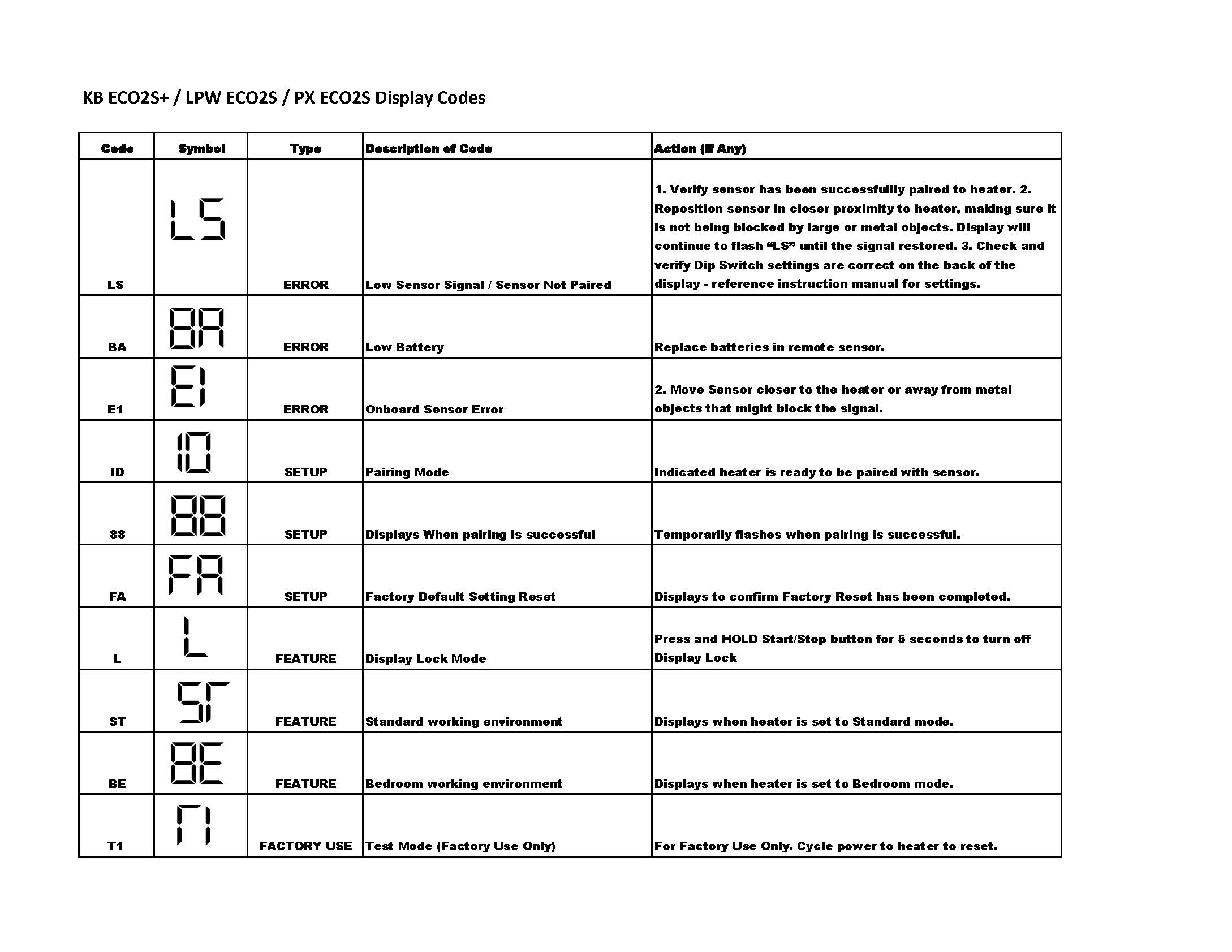
The controller regulates temperature and activates safety shutoffs. If the pad isn’t responding, the issue may lie in the control panel rather than the pad itself.
Check Display and Button Response
Look for any signs of life on the digital screen. A blank display could mean no power, a failed controller, or internal fuse blowout. Press the power and temperature buttons firmly. If buttons feel stuck or unresponsive, debris or moisture may be interfering.
Reset the Controller
Unplug the entire system for 2–3 minutes. This clears any temporary electronic glitches. Plug back in and restart according to the manual (usually press and hold power for 3–5 seconds). This often restores function if the unit froze or entered error mode.
Look for Error Codes
Some Ruqiji models display codes like “E1” or “Err” when detecting faults. While official documentation is limited, user reports suggest:
– E1: Overheating detected
– E2: Sensor malfunction
– E3: Power surge or internal fault
If an error appears, proceed to reset and inspect heat distribution.
Inspect for Overheating and Auto-Shutoff

Ruqiji pads include overheat protection that automatically powers down the unit if unsafe temperatures are detected. Frequent shutoffs are usually a safety response—not a defect.
Avoid Folding or Piling
Never fold, bunch, or place heavy objects on the pad while in use. This traps heat and triggers the thermal cutoff. Always lay the pad flat on a hard surface or over a chair without creases.
Don’t Use Under Blankets or Pillows
Placing the pad under bedding prevents heat dissipation. This increases surface temperature beyond safe limits and causes premature shutdown. Use only on top of your body or clothing.
Allow Cooling Time
After auto-shutoff, wait at least 15–20 minutes before restarting. The internal sensors must cool down before reactivating. Repeated immediate restarts may lock the system.
Perform Visual Inspection of the Pad

Even minor physical damage can disrupt heating elements or create safety hazards. A quick inspection can reveal hidden issues.
Look for Bulges, Blisters, or Discoloration
Run your hand over the entire surface. Any raised areas, dark spots, or burnt smells indicate internal damage to the heating wires or insulation. Stop using immediately if found.
Check for Moisture or Liquid Damage
Do not use a damp or wet pad. Moisture can short-circuit the internal wiring or corrode connections. If the pad was washed or exposed to spills, let it air dry completely (at least 24 hours) away from direct heat.
Inspect Seam and Edges
Cracks or peeling along the edges may expose wires. If the fabric is separating or the inner layer is visible, discontinue use. These areas are prone to further tearing and electrical exposure.
Test Heat Distribution Patterns
Uneven heating—such as one end warm and the other cold—often points to a failing heating element or connection issue.
Feel Each Section Evenly
After powering on for 5–10 minutes, place your hand along different zones of the pad. Note any sections that remain cold. Consistent cold spots suggest broken carbon fibers or wire disconnection.
Listen for Unusual Sounds
A faint buzzing or crackling noise from the pad or controller may indicate electrical arcing. This is dangerous and requires immediate shutdown.
Compare to Normal Performance
If the pad heats slower than before or never reaches previous temperatures, the heating elements may be degrading. While not an emergency, it signals the unit is nearing end-of-life.
Address Remote Control Issues
Some Ruqiji models include remote controls for wireless operation. If present, ensure the remote is functioning correctly.
Replace Remote Batteries
Open the battery compartment and replace with fresh AAA or coin-cell batteries. Weak batteries cause unresponsiveness or erratic behavior.
Re-Pair the Remote
Unplug the pad, remove batteries from the remote, wait 2 minutes, then reinsert. Plug the pad back in and press any button on the remote to re-establish connection.
Test Line-of-Sight Control
Infrared remotes require direct visibility to the sensor on the pad or controller. Ensure no objects block the signal path.
Reset Internal Safety Fuse
Some Ruqiji pads include a thermal fuse that trips during overheating or power surges. While not user-replaceable, a soft reset may restore function.
Power Cycle the Entire System
Unplug the pad from the wall and disconnect the controller from the pad (if detachable). Wait 10 minutes. Reconnect everything and plug in. This allows internal fuses and sensors to reset.
Avoid Surge Protectors
While surge protectors are generally safe, low-quality ones can cause inconsistent power delivery. Plug directly into a wall outlet to rule this out.
When to Replace the Heating Pad
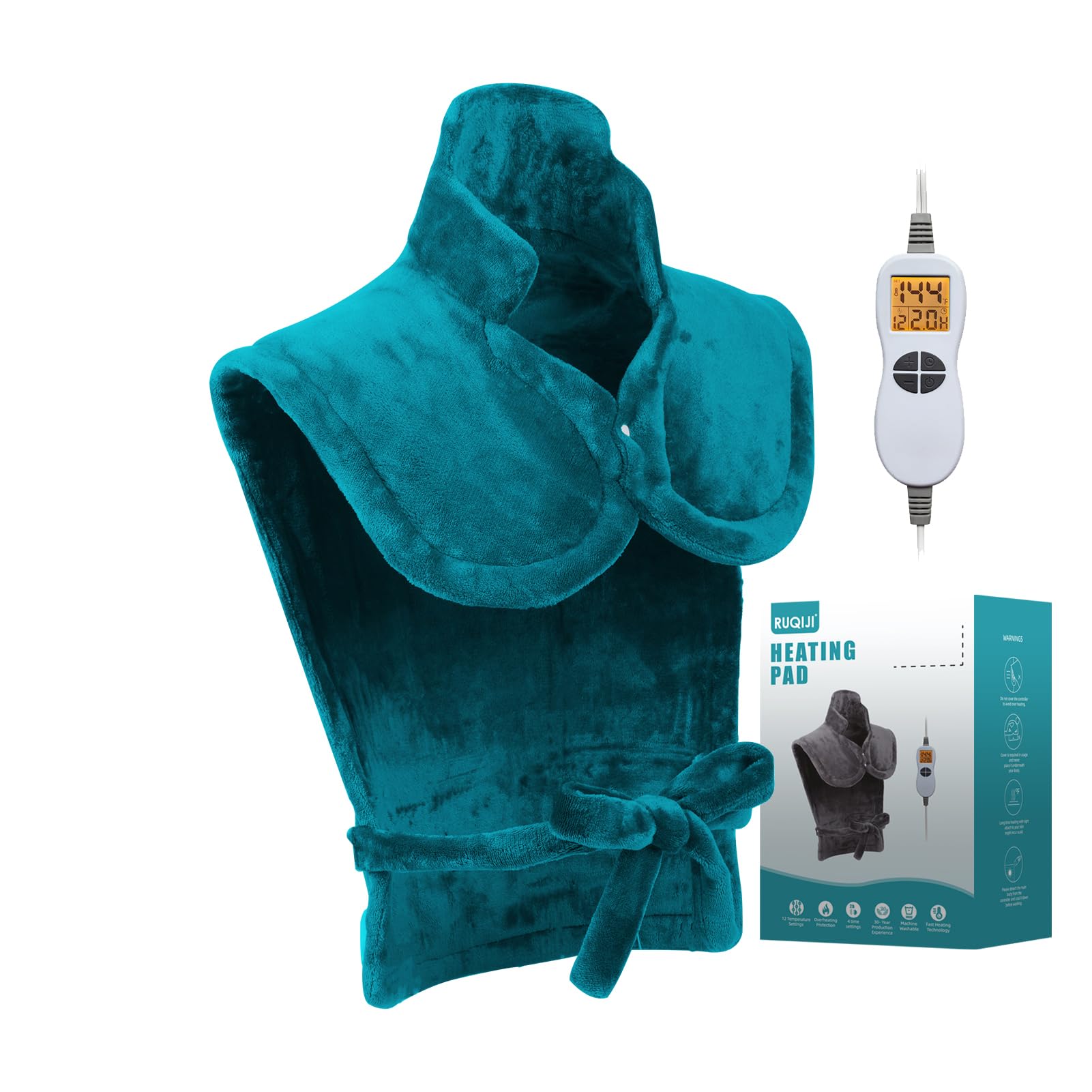
Not all issues can be fixed. Continuing to use a damaged or malfunctioning pad risks burns, fire, or electrical shock.
Replace If You See:
- Exposed wires or internal components
- Persistent cold zones or no heat after troubleshooting
- Burning smell, smoke, or charring
- Controller failure after reset
- Recurring error codes
Safety First: No DIY Repairs
Do not attempt to cut open, sew, or repair the pad yourself. The internal heating elements and wiring are not designed for user service. Tampering voids safety certifications and increases risk.
Choose a Certified Replacement
When buying a new heating pad, ensure it has safety certifications (such as ETL, UL, or CE) and overheat protection. Stick to reputable sellers to avoid counterfeit products.
Frequently Asked Questions About Ruqiji Heating Pad Troubleshooting
Why does my Ruqiji heating pad keep shutting off?
Auto-shutoff usually triggers when the pad overheats due to folding, bunching, or being placed under heavy blankets. Lay the pad flat, remove obstructions, and wait 15–20 minutes before restarting.
How do I fix a Ruqiji heating pad that won’t turn on?
Start by testing the outlet with another device, inspecting the cord for damage, and performing a full power cycle (unplug for 2–3 minutes). If the controller display remains blank, the internal fuse or controller may have failed.
What does the E1 error code mean on a Ruqiji heating pad?
The E1 code typically indicates overheating detected by the internal sensor. Turn off the pad, let it cool completely, and ensure it’s laid flat without folds before restarting.
Can I wash my Ruqiji heating pad if it got wet?
Only if the user manual specifically allows machine or hand washing. Otherwise, air dry the pad for at least 24 hours away from direct heat. Never use a damp pad, as moisture can damage internal wiring.
Is it safe to keep using a heating pad with cold spots?
No. Persistent cold zones usually mean broken heating elements or disconnected wires. Continued use risks uneven heating, electrical issues, or complete failure. Replace the unit promptly.
How long should a Ruqiji heating pad last?
With proper care, most heating pads last 2–5 years. Factors like frequency of use, washing method, and storage conditions affect lifespan. Always replace if you notice physical damage or performance decline.
Key Takeaways for Ruqiji Heating Pad Troubleshooting
Most Ruqiji heating pad issues stem from power problems, overheating, or physical wear—not sudden electronic failure. By following these steps, you can quickly identify and often resolve common malfunctions. Always prioritize safety: if in doubt, replace the unit.
Regular care can extend your pad’s life and prevent future issues. Avoid folding during use, keep the pad dry, and store it flat in a cool, dry place. Test the outlet and controller before assuming the pad itself is broken—many issues are simple fixes.
If troubleshooting doesn’t restore function, or if you notice burning smells, exposed wires, or recurring error codes, replace the heating pad immediately. Choose a certified replacement with overheat protection to ensure safe, reliable use for years to come.