How to Fix Kaz Heating Pad Not Working
You plug in your Kaz heating pad, press the power button, and instead of soothing warmth, you see a flashing red light and feel nothing. This frustrating scenario affects thousands of users across Kaz, SoftHeat, and Dunlap heating pad models. The most common symptom is a flashing red light on high heat with zero thermal output, often appearing after only a few uses.
The good news? A non-working Kaz heating pad is often fixable without buying a new one. Many “dead” units can be revived with a simple controller reset or a quick connector adjustment. And if those methods fail, you may qualify for a free replacement under a 5-year warranty by calling the manufacturer’s support line.
This guide walks you through diagnosing the flashing light issue, performing a controller reset, repairing loose connectors, and contacting customer service for a replacement. You’ll also learn critical safety warnings to protect against burns, electric shock, and fire hazards.
Why Your Kaz Heating Pad Shows a Flashing Red Light
A flashing red light on your Kaz heating pad controller signals an error state, usually triggered by an open circuit or failed connection. The controller detects abnormal resistance or no current flow and automatically shuts down as a safety measure. This doesn’t always mean your pad is permanently damaged.
Rule Out Power Supply Problems First
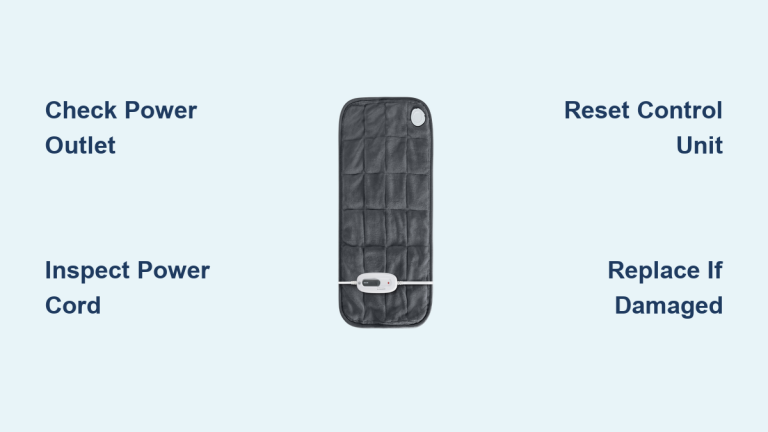
Before assuming the pad itself is faulty, confirm the issue isn’t with your power source. A faulty outlet or damaged cord can mimic a complete failure.
- Test the outlet by plugging in another device, like a phone charger.
- Inspect the power cord for kinks, fraying, or burn marks near the plug or controller.
- Check the wall adapter (if your model uses one) for warmth, swelling, or discoloration.
If the outlet works and the cord appears intact, the problem is likely internal. Move forward to the reset procedure.
Identify Your Heating Pad Model
Knowing your model number helps determine warranty coverage and whether your unit matches known failure patterns.
- Locate the tag near the connector on the pad.
- Look for model numbers like 788, 790, 810-915, 805810 HeatSense, SW114, or CAT93.
- Models sold between 2006 and 2013 may fall under a historical class action settlement related to burn hazards, though the claim period has closed.
How to Reset Your Kaz Heating Pad Controller
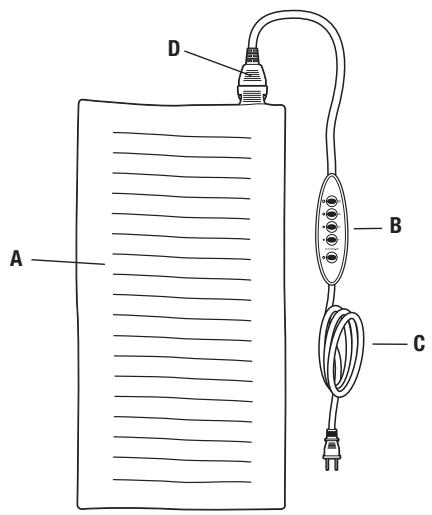
The most effective non-invasive fix for a Kaz heating pad stuck in error mode is a controller reset. This clears the logic lock caused by a temporary circuit break or power surge.
Step-by-Step Power Button Reset
This sequence forces the controller to reboot and re-establish communication with the heating element.
- Plug in the heating pad to a working outlet.
- Press and hold the power button on the controller.
- While continuing to hold the button, unplug the unit from the wall.
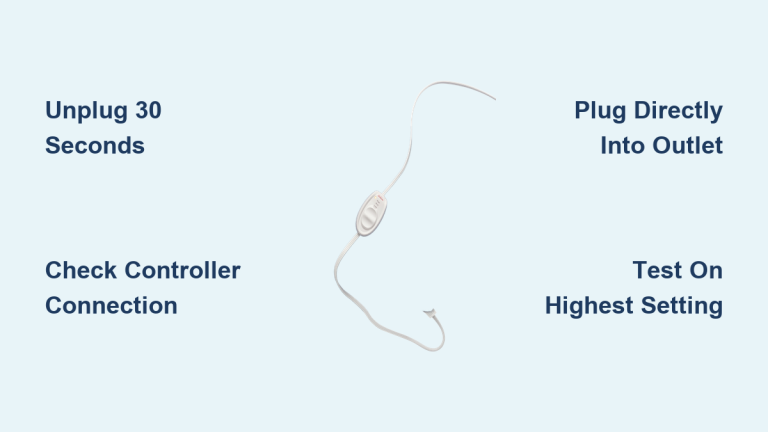
- Keep holding the button for 30 seconds.
- While still holding the button, plug it back in.
- Release the button and press it once to turn on.
Pro Tip: Some users report needing to repeat this sequence 2 to 3 times. Wait 10 seconds between attempts.
If the pad now produces heat, the issue was a temporary software lock. If the flashing light persists, proceed to inspect the physical connector.
Fix Loose Connector Pins for Instant Heat Restoration

A broken wire isn’t always the culprit. In many cases, the problem is poor electrical contact at the connector between the pad and controller. Over time, the metal pins can lose tension, creating an intermittent or broken circuit.
Repair the Male Connector Pins
The male end (attached to the pad) often suffers from compressed or spread pins that fail to grip properly.
Tools needed:
– Jeweler’s screwdriver or small flathead tool
– Needle-nose pliers (optional)
Steps:
1. Unplug the unit completely.
2. Examine the metal pins inside the male connector.
3. If they appear flat, recessed, or overly spread, gently insert the screwdriver tip between them.
4. Wiggle and spread the pins slightly to increase outward pressure.
5. Avoid over-spreading—aim for a snug fit when reconnected.
Tighten the Female Receptacle Contacts
The controller’s female port can also loosen over time.
- Use needle-nose pliers to gently squeeze the inner metal contacts.
- Ensure they grip the male pins firmly when connected.
- Reconnect and test for heat.
User Result: Many people report immediate heat restoration after this simple adjustment, confirming poor contact as the root cause.
Internal Wiring Failures: When DIY Fixes Aren’t Enough

If the reset and connector adjustments fail, the issue likely lies in internal wire breakage, a known defect in certain Kaz and Sunbeam heating pads.
Broken Wires at the Factory Joint
Engineering analysis reveals that the power wire and heating element wire are joined at a cast point inside the pad or controller. In faulty units, this joint breaks internally, often without any visible external damage to the casing.
- The break interrupts current flow, preventing heat generation.
- The controller detects the open circuit and triggers the flashing light error.
- This defect frequently occurs after minimal use, suggesting poor manufacturing quality.
Warning: Do not attempt to open the pad unless you have electronics repair experience. Exposed live wires can cause electric shock or fire.
Rivet Connection Failures
Some models use rivets to secure internal wiring. These can loosen or break, disconnecting the circuit entirely.
- Advanced users have successfully replaced failed rivets with small bolts and nuts for a permanent fix.
- This requires disassembling the controller and is not recommended for non-experts.
Contact Customer Service for a Free Replacement
If DIY troubleshooting fails, calling Sunbeam/Kaz support is your best option. Their warranty policy is surprisingly generous, and you may receive a free replacement the same day.
Call for Warranty Replacement
Phone: 1-800-458-8407
Hours: Typically 8 AM to 8 PM CST
What to say when you call:
– “My Kaz heating pad isn’t working. It shows a flashing red light and produces no heat.”
– “I believe it’s covered under the 5-year warranty.”
– Provide your model number (from the connector tag) and approximate purchase date.
What to expect:
– Representatives are authorized to approve replacements without proof of purchase.
– Most cases do not require returning the defective unit.
– Shipping is free, with new pads often arriving within 2 to 3 days.
– Some users report same-day delivery when calling early in the day.
Warranty coverage includes:
– Up to 5 years from the original purchase date.
– Coverage for used or internationally purchased units in many cases.
Critical Safety Warnings: When to Stop Using Immediately
A malfunctioning heating pad isn’t just inconvenient; it can be genuinely dangerous. Know when to discontinue use and replace the unit.
Immediate Discontinuation Signs
Stop using and unplug your pad if you notice any of the following:
– Electric shock when touching the pad or controller
– Burning smell or visible smoke
– Discoloration, bubbling, or melting on the pad surface or cord
– Sparks or arcing at the connector
These symptoms indicate serious internal damage and a fire hazard. Do not attempt repair under any circumstances.
Burn Risks from Older Models
Heating pads manufactured before 2013 may lack updated safety warnings. Historical safety concerns revealed that lying or sleeping on the pad could cause burns due to overheating in folded positions.
- Always use the pad over clothing, never directly on bare skin.
- Never sit, lie, or sleep on the heating pad.
- Avoid folding or bunching the pad during use.
Prevent Future Heating Pad Failures
Even a brand-new replacement can fail prematurely if used improperly. Extend your pad’s lifespan with these simple habits.
Proper Use and Storage Practices
- Pull from the plug, never yank the cord itself.
- Store flat or loosely rolled; avoid tight coiling.
- Prevent sharp bends at the connector, where internal wires experience the most stress.
- Unplug when not in use to protect against power surges.
Monitor for Early Warning Signs
Catch developing problems before complete failure occurs:
– Intermittent heat output
– Flickering controller lights
– Unusual warmth in the controller unit
These symptoms may signal a loose connection that can be fixed before the pad stops working entirely.
Consider Switching to a More Reliable Brand

Given the recurring issues with Kaz, SoftHeat, and Dunlap heating pads, particularly the flashing light defect and safety concerns, many consumers opt for more reliable alternatives.
Features to Look for in Alternative Brands
Prioritize heating pads with:
– Locking connector mechanisms for secure electrical contact
– Overheat protection with automatic reset functionality
– Reinforced wire construction at common stress points
Brands like Biddeford, Utopia, and Pure Enrichment have higher user satisfaction ratings for long-term durability and safety.
Pro Tip: Read reviews that specifically mention “long-term use” and “no flashing light issues” before purchasing an alternative.
Frequently Asked Questions About Kaz Heating Pad Problems
Why is my Kaz heating pad flashing red but not heating?
A flashing red light indicates an error state, usually triggered by an open circuit or failed connection. The controller detects abnormal resistance and shuts down as a safety measure. Common causes include loose connector pins, internal wire breakage at the factory joint, or a controller logic lock-up that requires a reset.
How do I reset my Kaz heating pad?
To reset your Kaz heating pad controller, plug it into a working outlet, then press and hold the power button. While holding the button, unplug the unit and continue holding for 30 seconds. While still holding the button, plug it back in, then release and press power once to test. Repeat up to 3 times if needed.
Can I fix a Kaz heating pad that won’t heat?
Yes, many Kaz heating pads can be fixed without replacement. Start with the power button reset sequence. If that fails, inspect the connector pins and gently spread the male contacts with a jeweler’s screwdriver to restore proper electrical contact. These two fixes resolve the majority of flashing light issues.
Does Kaz offer free replacements for defective heating pads?
Yes. Kaz and Sunbeam offer warranty coverage for up to 5 years from purchase. Call 1-800-458-8407, describe the flashing light issue, and provide your model number. Representatives are authorized to ship free replacements, often arriving within 2 to 3 days, without requiring you to return the defective unit.
Is a flashing Kaz heating pad dangerous?
A flashing light itself indicates the controller has detected a fault and shut down, which is a safety feature. However, if you notice burning smells, smoke, sparks, electric shock, or visible melting, stop using the pad immediately. These symptoms indicate serious electrical damage and fire risk that requires replacement, not repair.
Which Kaz heating pad models are most likely to fail?
Models frequently reported with the flashing light defect include 788, 790, 810-915, 805810 HeatSense, SW114, and CAT93. Units manufactured between 2006 and 2013 may also have design-related safety concerns stemming from a historical class action settlement over burn hazards.
Key Takeaways for Fixing Your Kaz Heating Pad
A Kaz heating pad not working, especially with a flashing red light, is a common but highly fixable issue. Start with the power button reset sequence to clear any controller error locks. If the light persists, inspect and gently adjust the connector pins to restore solid electrical contact. These two steps resolve most failures without any tools or technical expertise.
If DIY methods don’t restore heat, call 1-800-458-8407 to claim a free replacement under the 5-year warranty. Have your model number ready and describe the flashing light symptom clearly. Most users receive replacements within days at no cost.
Above all, prioritize safety. Never use a pad that produces shocks, smells like burning, or shows visible damage. With proper use and prompt action, you can restore comfort quickly or upgrade to a more reliable heating solution.